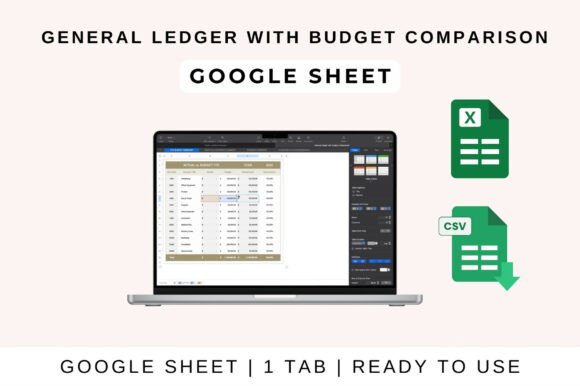
General Ledger with Budget Comparison
Managing your finances doesn’t have to be complicated. Whether you're a small business owner, freelancer, or part of a non-profit, keeping track of income and expenses is essential for financial clarity. Enter the General Ledger with Budget Comparison template—a powerful tool that helps you stay on top of your money while comparing actual spending against your budget. This all-in-one solution is designed to simplify financial tracking and provide valuable insights into your financial health.
The template is built with a clean, organized layout that makes it easy to input data and monitor performance. With dedicated sections for income, expenses, and budgeting, you can quickly see where your money is going and how it aligns with your financial goals. The visual design is intuitive, allowing users to focus on the numbers without getting lost in clutter.
Why Use General Ledger with Budget Comparison?
For anyone who wants to maintain control over their finances, this template offers a straightforward way to track and analyze financial data. It’s particularly useful for those who need to compare actual results with planned budgets, helping identify areas where they may be overspending or underperforming. By highlighting variances automatically, the template makes it easier to spot trends and make informed decisions.
One of the key benefits of the General Ledger with Budget Comparison is its versatility. It works seamlessly with Google Sheets, Excel, and Apple Numbers, making it accessible to a wide range of users. Whether you prefer working in the cloud or on your desktop, you can easily manage your financial records from anywhere.
How to Use the Template
Getting started with the General Ledger with Budget Comparison is simple. If you’re using Google Sheets, start by uploading the template to your Google Drive and opening it in the app. From there, you can begin entering your income and expenses under the appropriate categories. The sheet will automatically calculate totals, profit, and loss, giving you an instant overview of your financial position.
In Excel, download the file and open it on your computer. If prompted, enable editing to access all the features. Input your data, and let the formulas do the rest. The template includes built-in charts and summaries, so you can visualize your financial performance at a glance. You can also customize the categories, formulas, and visuals to match your specific needs.
Collaboration is another strong point of this template. Whether you're working with a team or just want to share your financial data with a partner or accountant, the ability to share the sheet in real time makes it easy to keep everyone on the same page.
Key Features of the Template
The General Ledger with Budget Comparison comes with several features that make it a valuable addition to any financial toolkit:
- Track income and expenses by category – Organize your financial data into clear, manageable sections.
- Compare actual spending vs. budget – See how your actual expenses measure up against your planned budget.
- Auto-calculate variances – Identify overspending or underspending with ease.
- Monthly and yearly summary views – Get a clear picture of your financial performance over time.
- Customizable and scalable – Adjust the template to fit your unique financial needs.
These features make the template ideal for both personal and professional use. Whether you're managing a small business or tracking your own finances, the General Ledger with Budget Comparison provides the tools you need to stay organized and make informed decisions.
Design and Usability
Beyond its functionality, the General Ledger with Budget Comparison is designed with usability in mind. The clean, modern layout ensures that even complex financial data is easy to understand. The use of color coding and clear labels enhances readability, making it simple to navigate through different sections of the template.
For designers, marketers, and content creators, the template’s visual appeal can also serve as a reference for creating their own financial reports or presentations. Its structured format and attention to detail reflect the principles of good design—clarity, consistency, and professionalism.
Whether you're using the template for personal finance or business accounting, its design and functionality work together to provide a seamless user experience. The balance between form and function makes it a valuable resource for anyone looking to improve their financial management practices.
Conclusion
The General Ledger with Budget Comparison is more than just a spreadsheet—it's a comprehensive financial management tool that empowers users to take control of their money. With its intuitive design, automated calculations, and customizable features, it’s a must-have for anyone looking to stay on top of their finances.
By integrating this template into your workflow, you can gain deeper insights into your financial habits, identify areas for improvement, and make smarter decisions about your money. Whether you're a solo entrepreneur, a small business owner, or part of a larger organization, the General Ledger with Budget Comparison offers the flexibility and functionality needed to manage your finances effectively.